
In much the way that I cannot explain my own thoughts, I cannot explain beauty.
This is version 0.8 of the Reconstruct tool.
When you first open the recon page, a panel will appear explaining how to use the tool and other tips and tricks. This replaces the welcome video, which was clunky and getting out-of-date.
Someone told me if I added GIFs, they'd use Ao1K. I don't like to pander much to any one person, but this did seem like a pretty interesting idea.
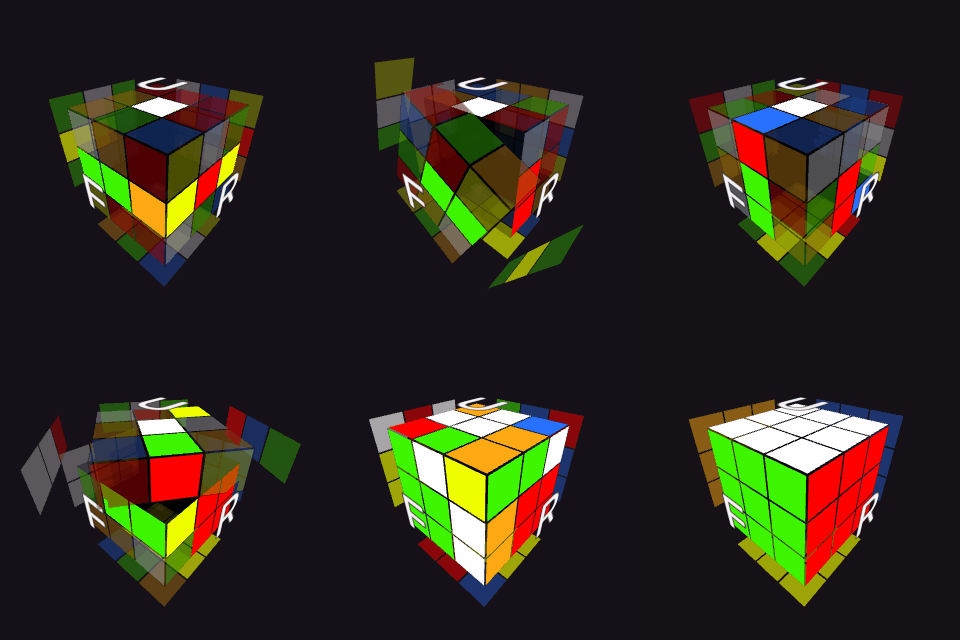
I went all-out with this. Lots of customization. Do a recon, and then you can check it out from the dropdown near the top of the Recon page:
In the settings, you can enable addings splits. This is where you'd specify how fast each line of the solve was. You have to enter the time in "ssmmm" format. If you don't have all these milliseconds handy, just be sure to add a decimal point (for example: you'll type "1.0").
These splits optionally connect to the GIF creation as well as the solve speed when you click .
This update adds a way to take a picture of whatever the cube currently looks like.
Look for this icon next to the cube player: . If it's not there, go into settings and check Show Player Controls.
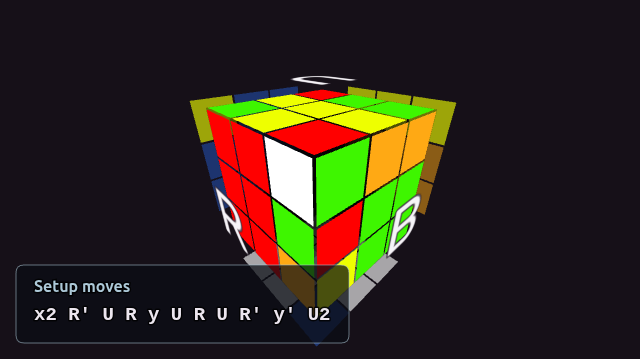
It optionally adds a way to add setup moves to the image, which makes it very useful as a visual aid when talking about cases.
Go you beautiful bastard.